34 updates since April 2024. Everything new, newest first, in plain words.
No.343 updates this month 13 so far in 2026
April 2024No. 34
34
No. 34NewContentBrandPilotApps & account
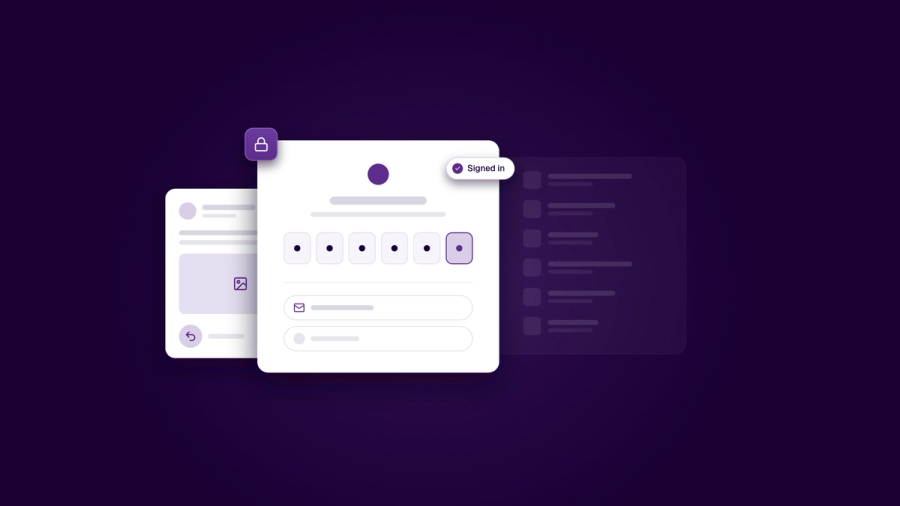
A simpler sign-in, and undo when you delete a post
New sign-in on the web and on iPhone. Sign in with Google or email on the web, and with Apple, Google or email on iPhone. On iPhone, the code fills itself in from Mail, and you get clear messages when a code is wrong, has expired or the connection drops. (iPhone: App Store version 1.6.6.)
Undo for deleted posts. After 30 days it's removed for good.
Company details from the Brønnøysund Register. In Brand Center, search for your company by name or organisation number, confirm it, and Medal Social fills in your legal name, address and VAT status. The saved company stays locked so it can't be changed by mistake.
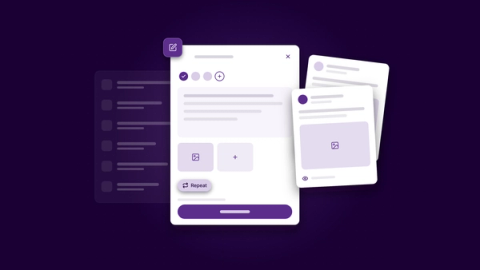
No.33One post editor, with a preview for every networkCreating and editing posts now happens in one editor that opens right beside your calendar. You can change a scheduled post without taking it off the plan, and publish in one step.NewShow what changed
Edit a scheduled post in place and see approvals at a glance
Add another channel to a post you already made, or make a post repeat
Keep a change for just one network
See exactly which page or board each post goes to
Bring files from Google Drive straight into Medal Social
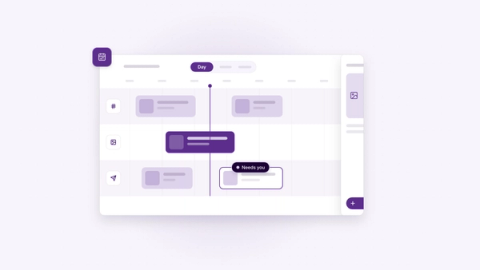
No.32Posts now opens on your calendarThe calendar is now the front door to Posts. When you open Posts, you see what needs your attention, your drafts and your plan, all in one place.NewShow what changed
A “Needs you” list next to your calendar
Day view shows each channel in its own lane
Month view gives a quick overview, with colours per channel and campaign
Add emoji in the Helpdesk inbox and website chat, and react to teammates' notes
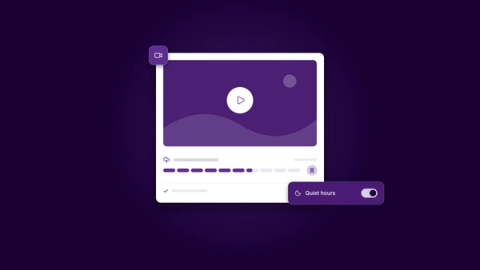
No.31Longer videos, a clearer view of your website, and notifications on your termsYou can now upload much bigger video files. If your connection drops, the upload picks up where it left off, on web, phone and desktop. Videos also look sharper.Show what changed
Large video uploads that resume after a dropped connection
Site > Your website shows overview, search and visitor information together
Mute a single campaign or conversation, and set quiet hours for phone alerts
Helpdesk tells your team about unanswered chats
The website chat can greet visitors and show an away message in their language
Enjoying the progress? Get No. 35 the day it ships.
No.30Medal Social desktop on Windows and Linux, and all your posts on one calendarThe Medal Social desktop app is now available for Windows and Linux. Updates download quietly in the background and apply when you restart.Show what changed
Desktop app for Windows and Linux
Pin, rename and reload tabs in the desktop app
Posts made outside Medal Social appear on your calendar
Answer Google Business reviews from your Helpdesk inbox
Plainer wording across the app, including Email and customer records
No.29Tabs in the desktop app, and your Google Business listing in Brand CenterThe desktop app now has tabs. Open customers, conversations and posts side by side, or pull a tab out into its own window.Show what changed
Tabs and separate windows in the desktop app
A shortcut to start a quick post from anywhere
“Open in desktop app” from your account menu
Connect Google Search Console and Gmail Postmaster Tools to keep an eye on search and email health
No.28A content calendar you can plan withThe posts calendar is now where you plan. Drag a post to a new day or time, and undo it if you change your mind. Drop drafts straight onto a day.Show what changed
Medal Social for iPhone is on the App Store, from 22 July
No.27Post to Slack and Google Chat, and a desktop app that feels at homeYou can now connect Slack and Google Chat in Brand Center and schedule posts to them like any other channel. Handy for keeping your team or community in the loop.Show what changed
Slack and Google Chat as channels you can post to
The desktop app runs in the background, shows notifications and an unread badge, and works without a connection
Drag files straight into the desktop app
One page with all Medal Social downloads, plus a simple way to connect your AI assistant
No.26Helpdesk comes to Medal Social, plus a clearer way to send emailHelpdesk is now part of Medal Social. Customers can reach you through a chat on your website, and every conversation lands in one shared inbox. You can reply in real time, add images, and turn a chat into a ticket or an email.Show what changed
A website chat with a guided setup and live preview
One shared inbox where you see when someone is typing
No.25Pilot is easier to install, and our toolkit is fully testedTechnical team members can now install Pilot's command-line tool in one step. Our official toolkit for connecting your own apps is now fully covered by automated tests, so every part of it is checked before each update.Show what changed
Install the Pilot command-line tool in one step on Mac, Windows or Linux
Every part of the official toolkit is checked by automated tests
The SDK now ships a full, machine-readable description of every API call (an OpenAPI file), so tools can check code against it.
Pilot's command-line tool now updates itself the right way, whether you installed it with Homebrew or npm.
Meda UI added ready-made building blocks for websites, email designs, post previews and automation flows.
No.24Tools for teams who build on Medal SocialTeams with developers can now connect Medal Social to their own apps and tools using our official toolkit. Pilot also got a command-line version, and earned the OpenSSF Silver badge, a recognised standard for building open software safely. Navigation across the app is more consistent.Show what changed
An official, stable toolkit for connecting your own apps
A command-line version of Pilot
Pilot earned the OpenSSF Silver badge
Consistent navigation, with a side panel you can collapse for more space
The official Medal Social toolkit for developers (SDK) reached version 1.0, a stable base to build on, with every part documented.
No.23Work on the same post together, liveYour team can now edit emails, posts, automations, brand assets and notes together at the same time, and see each other's changes instantly. Pilot's suggestions show up for everyone in the session.Show what changed
Edit together in real time, with Pilot's suggestions visible to everyone
Version history in every editor
Simpler settings, all in one place
Start automations from ready-made templates
Build audiences for campaigns and track link clicks
No.22medalsocial.com in Arabic, plus a home for guidesOur website now reads in Arabic, with proper right-to-left layout and an Arabic typeface. Posts from social networks can be shown right inside our articles, and a new guides section makes product help easier to find.Show what changed
medalsocial.com in Arabic
Social posts shown inside articles
A guides section with easy navigation
Pages stay up even if something behind the scenes hiccups
NextMedal got cleaner dark mode colours and built-in sections for articles and other collections.
No.21A plan for teams, and a smoother dark modeTeams can now share one Medal Social subscription with the Team plan. Dark mode looks cleaner, with better contrast. Pages also load faster and open at the top.Show what changed
Team plan for shared billing and access
Clearer, more consistent dark mode
Faster pages
Security updates in the background, with nothing for you to do
No.20Teach Medal Social about your brand with the Knowledge CenterThe Knowledge Center is a place to keep your brand guidelines, product details and tone of voice. Medal Social uses it when helping you write, so content stays on-brand. Tags help you keep things organised.Show what changed
Knowledge Center for brand and product notes, used when you write with AI
Create, rename and sort tags in one place
Email templates have their own page, with your logo, footer and a preview
No.19Build and switch on automations yourselfYou can now build an automation step by step on a visual board, switch it on, and pause it whenever you like without losing your setup. Automations can start the moment someone new is added to your contacts. Our website also comes in Norwegian.Show what changed
A visual automation builder
Switch automations on and off at any time
Start an automation when a new lead arrives
medalsocial.com in Norwegian, with a language switcher
Fixed creating a workspace on mobile, and getting stuck after buying a plan
No.18Post videos, and a better AI image makerYour posts can now include video. Upload a clip and publish it to Instagram, Facebook and LinkedIn the same way you post images. We check the file first, so posts don't fail halfway.Show what changed
Publish videos to Instagram, Facebook and LinkedIn
A rebuilt AI image maker that keeps your past images handy
See how many credits each image uses
Shortcuts on your Home page to posts, leads and media
Rebuilt automatic emails, with an unsubscribe link added for you
No.17Medal Social in Arabic and Norwegian, and a Home page to start your dayYou can now use Medal Social in Arabic or Norwegian. Pick your language under Workspace > Profile. The Home page gives you quick actions and a first handy tool: an email signature maker.Show what changed
No.16Post to Facebook, Instagram and Threads, and bring in your Canva designsYou can now connect Facebook Pages, Instagram and Threads and publish to them from Medal Social. Your Canva designs can come straight into your posts and media library.Show what changed
Publish to Facebook Pages, Instagram and Threads
Bring Canva designs into posts and the media library, and edit images in Canva
Send ideas and images into Medal Social from other tools
Get notifications in Slack
A tidier sidebar: press P for a new idea, or Cmd+K to search
No.15A better AI image model, and a cookie log for your websiteYou can now create marketing images with a stronger AI image model. If your website is built on our NextMedal template, a built-in cookie consent log helps you stay compliant.Show what changed
A stronger AI image model
Cookie consent log for NextMedal websites
Better importing and exporting of contacts
First name, last name and phone number for contacts in emails and automations
NextMedal got site and theme settings, so you can change colours and the header without touching code, plus easier-to-read blog posts.
No.14Several workspaces, shared AI history, and Teams notificationsYou can now create more than one workspace and switch between them from the sidebar. Everyone in a workspace can see past AI chats. A new automation lets people send you notes from your website and get a confirmation email.Show what changed
Create and switch between workspaces
Shared AI chat history in a workspace
More AI models to choose from
Collect notes from your website, with an automatic confirmation email
No.13Chat with AI inside Medal Social, and a refreshed appYou can now chat with AI right inside Medal Social, without jumping between tools. The app has a refreshed sidebar and header, and Ideas has tabs for drafts, scheduled and published content. We also released NextMedal, a free website template that works with Medal Social.Show what changed
AI chat built into Medal Social
A refreshed sidebar and header
Ideas with filters and tabs
NextMedal, a free website template
NextMedal, our free website template, had its first early release on GitHub.
No.12Event sign-ups and instant alertsPeople can now sign up for your events straight from your website, and you can email everyone who signed up. You also get an instant alert in Google Chat for every new sign-up.Show what changed
No.11All your contacts in one list, and scheduled newslettersContacts from different places now come together in one list. You can schedule newsletters for a set date and time, and every newsletter has an easy unsubscribe link.Show what changed
No.10LinkedIn is here, plus leads and your first automationLinkedIn officially approved our connection, so you can post to your profile or company pages from Medal Social. A Leads table keeps track of everyone you are talking to, and the first automation sends a welcome email for you.Show what changed
Post text and images to LinkedIn profiles and company pages
No.9AI help right beside your ideas, and BlueskyAda, our AI assistant (today called Pilot), now sits beside each idea and understands what you are working on. Signing in is smoother and faster, and you can now publish to Bluesky.Show what changed
No.8Medal Social on your phone, and a fresh lookMedal Social now works much better on your phone. Buttons and the editor are easier to use, sign-in loads faster, and you can create more realistic AI images. We also refreshed our logo and website.Show what changed
No.7Invite your team, and pay securelyYou can now invite teammates into your workspace and work together. Paying for your subscription is secure and simple through Stripe, with lots of payment options. We also fixed bugs that caused crashes.Show what changed
No.6Medal Social opens to everyoneMedal Social is open for sign-ups. We added a clearer content planner, based on your feedback, and a smoother start for people trying it for the first time.Show what changed
No.5A place to brainstorm with AIYou now have a dedicated space to brainstorm marketing ideas with AI. You can plan when and where each idea goes out, and get AI feedback on a post before it is published.Show what changed
No.4A cleaner editor, and AI that adds emojiWrite without distractions in a cleaner editor. Select some text, choose “Use AI” and then “emojify” to add emoji that make your post stand out.Show what changed
No.3Schedule posts for LinkedIn and XPlan your posts on a calendar and schedule them for LinkedIn and X. They go out automatically. Writing now happens in a full-screen editor with built-in AI help.Show what changed
No.2Your profile, and LinkedIn publishingManage your name, picture and email from your profile page. You can now connect your personal LinkedIn profile and publish to it. Getting started is easier too.Show what changed
No.1An Ideas Library, a Media Gallery, and posting to XKeep ideas for every channel in one place and sort them with topics and tags. Store images and GIFs in the Media Gallery and attach them to ideas. You can also connect your X account and post to it directly.Show what changed